
Evergreen - Collectible
AI Figurine Photo
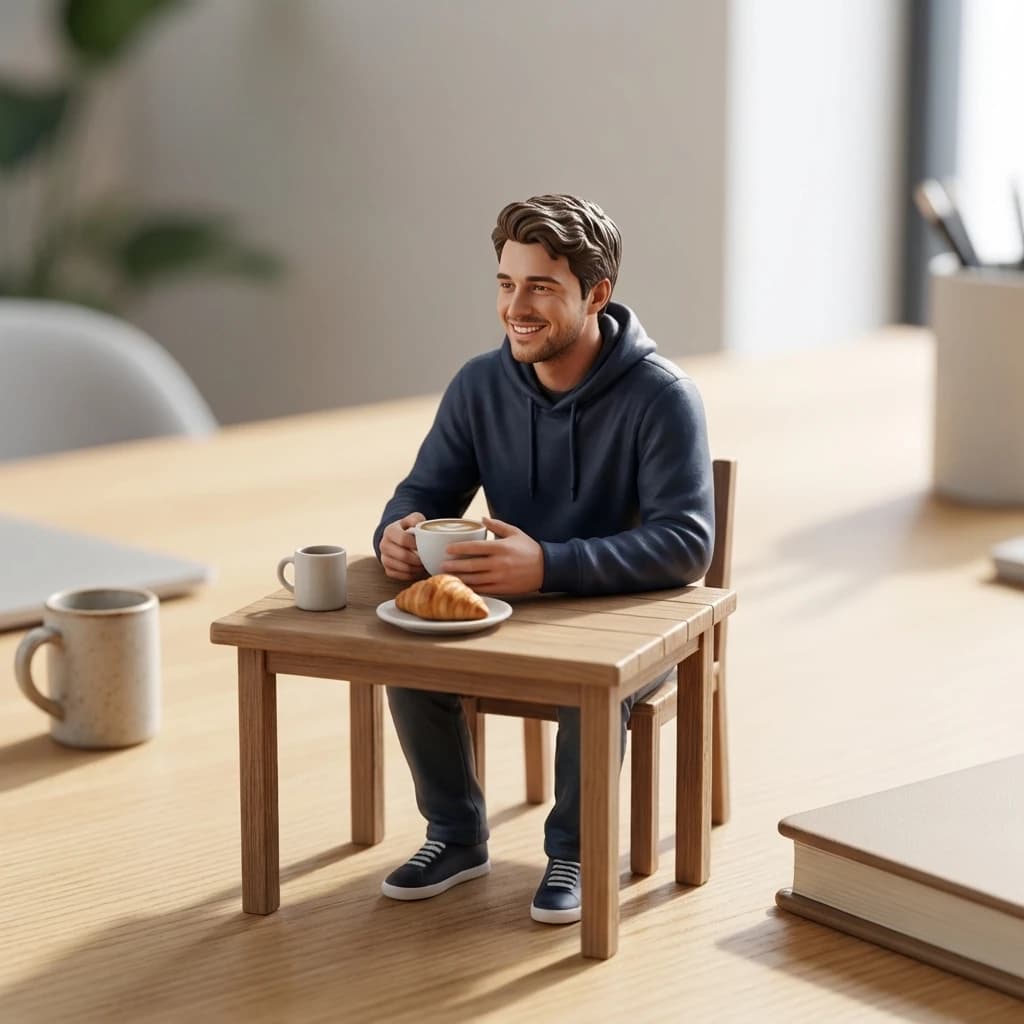
Create a miniature figurine version of yourself with a clean studio surface, realistic toy scale, and a polished social-ready finish. Use the Magiq template instead of copying prompts from comment threads.

Generations use Magiq credits. New users receive limited starter credits; current plans and offers are shown in the app.
Actual template result
Mini-Me Figurine

How to make it in Magiq
- 1Choose the AI Figurine Photo template.
- 2Upload a selfie, portrait, or standing photo.
- 3Generate the miniature version and pick the cleanest face match.
- 4Export for Instagram, TikTok, or profile use.
Input photo tips
- Good lighting helps preserve identity in small-scale details.
- Use simple backgrounds so the figurine surface reads clearly.
- Avoid busy group photos; one subject works best.
FAQ
Questions before you generate
Is this the same as an action figure edit?
It is related, but the figurine template focuses on miniature scale and realistic display photography rather than boxed packaging.
Can Magiq keep my face recognizable?
The template is written to preserve identity, but AI results can vary. Use a clear front-facing photo for best results.
Guides
Get better results with this template
Template tutorial
How to Make an AI Action Figure Photo
The practical version of the viral action figure trend: what to upload, what to avoid, and how to get a clean collectible-style result.
Template tutorial
How to Make an AI Starter Pack Photo
A guide to the personal starter pack trend: how to turn a selfie and a few identity details into a shareable visual summary.